One place to work
See the records, owner, due date, status, and next step in one list, board, or screen.
Replace a weak spreadsheet, shared inbox, or messy office process. Get one tool made for your information, rules, approvals, and team. It becomes your own company technology.
A spreadsheet works well until it must also hold all your data, tasks, access rules, and reports. A shared inbox works until no one knows who owns the next step. A general app fails when your real rules live in side notes and memory.
A custom tool does not need to replace every system. It can make one key process clear and still work with the tools you want to keep.
See the records, owner, due date, status, and next step in one list, board, or screen.
Give each person the view and controls they need. Keep private work limited to the right people.
Run the same checks and choices each time. Stop copying formulas or trying to recall every hard case.
Keep a clear record of changes. Let your team bring data in and take data out.
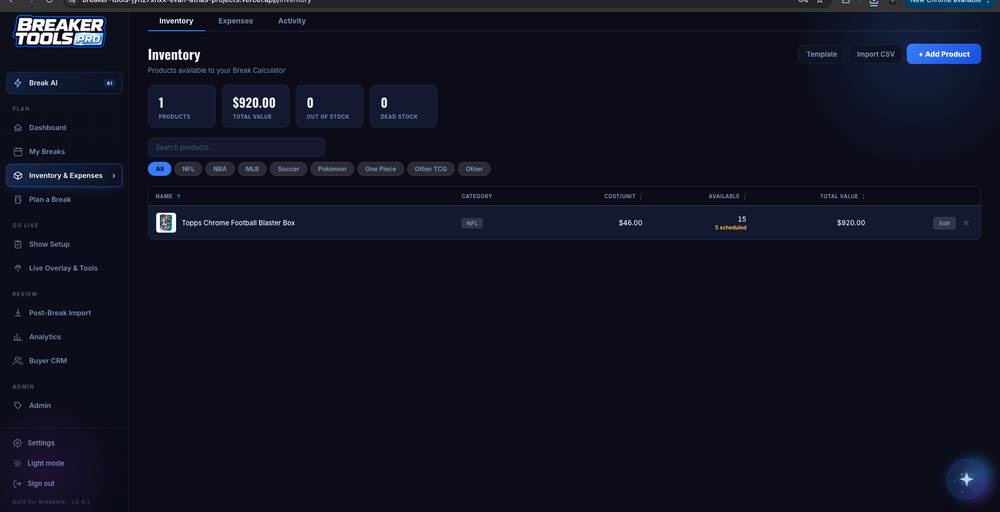
The written plan lists the people, records, screens, rules, other systems, and handoff. We also build the less exciting parts that make a tool work well. This includes empty screens, bad input, access rules, failed links, and hard cases.
We can use AI when it can read, sort, sum up, or draft work well. We use fixed rules when they are safer and clearer.
Your project agreement states who owns what. Our normal handoff gives you the code, database, live system, and project accounts. You also get simple notes and training for the agreed tool.
The live tool and main project accounts move to you. They do not stay locked in our agency account.
We list every system that must connect. We also list any access or service limits.
Login, roles, and private settings are built for the use named in the plan.
At handoff, we explain any limits, outside needs, and good next steps in plain words.
Usually yes, and often it should not entirely. Spreadsheets are genuinely good for analysis and one-off thinking. What they are bad at is being the permanent home for your records, your access rules and your process. We move the process into the tool and leave you able to export to a sheet whenever you want to think in one.
Access rules are part of the build rather than an upgrade. The plan names each type of user and exactly what they can see and change, including the cases where someone should be able to view a record but not edit it.
You own the code and the database, so growing it is a normal software project rather than a negotiation with us. Some clients come back for a second build, some hand it to their own developer later. Both are fine, and the handover is built so the second one is genuinely possible.
Evan Atha reads each request, usually the same business day. He will send a useful plan or ask a few clear questions.