We show client work only with permission. We clearly label the products we built for ourselves.
We do not make up reviews, borrow logos, or claim results that no one measured.
Recent work
Real screens from real software.
Each entry tells you who owns it. We only state facts we can support.
Full product buildWeb application
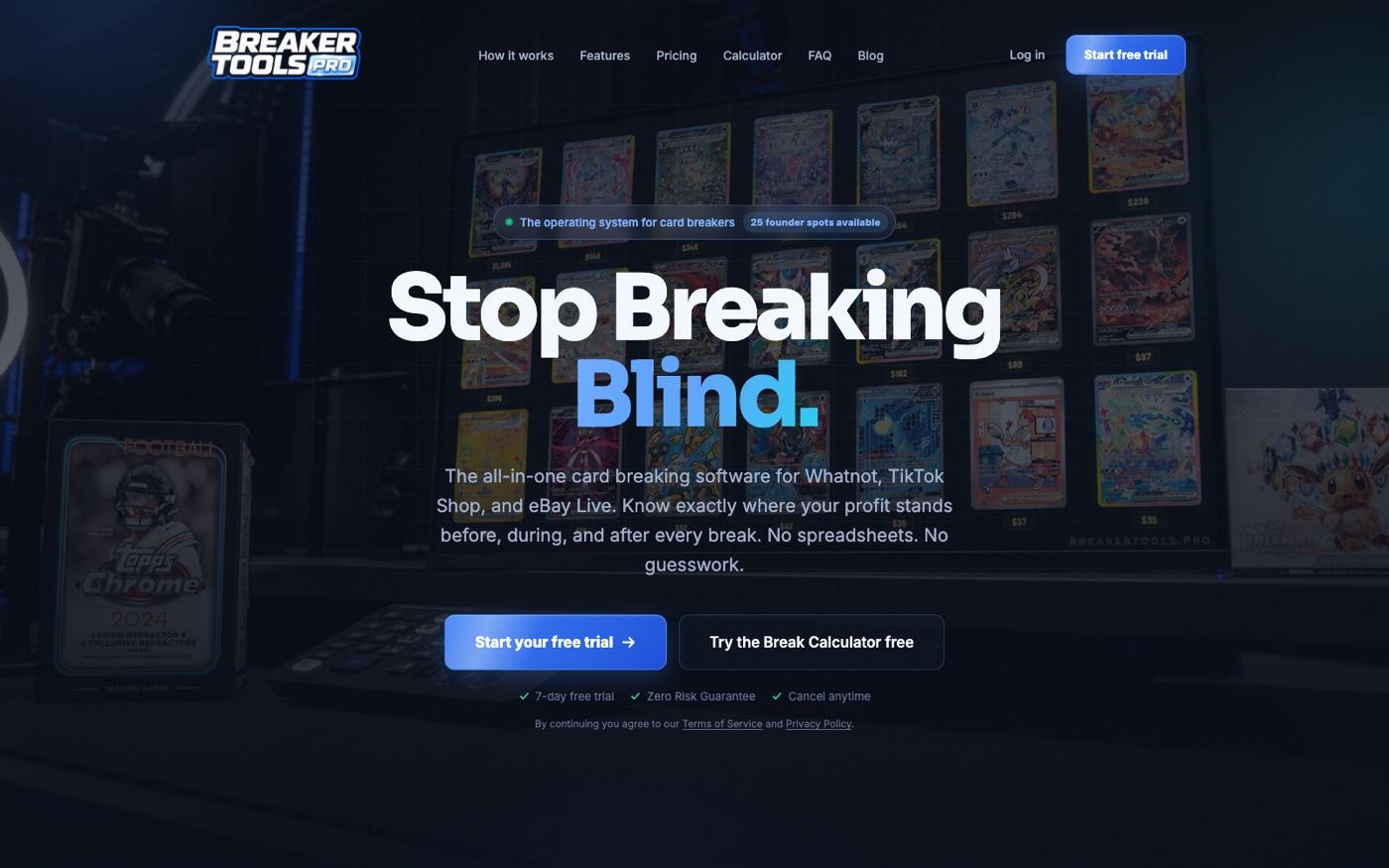
Breaker Tools Pro application
One business app for work that once lived in many sheets.
Live sports card sellers set prices, track stock and cost, make lists, run live screens, and check sales after each show. Much of this work once had to be done again in sheets for every show. The first working tool was built in seven days. Over the next month, it grew into ten tools in one app. The real price rules are in the tool, and profit is clear before, during, and after a show.
Secure web appCustom price toolLive show screensAI helper that uses account dataFair team pickerUser roles and safe accessSales and profit reports
All 10 tools inside it
Ten tools use the same data. Each one replaces repeat work, a sheet, or a paid app.
Plan a BreakEnter box cost, selling fees, and a profit goal. Get prices before the first sale.
Break BoardShow key cards and live values on screen. Mark each card when it is found.
SpinnerGive out teams at random. Show a code so buyers can check the result.
Break ListsMake product lists from saved data instead of typing each list again.
Show SetupDraft the listing name, picture, and notes for the seller to check.
StockTrack products, sellers, cost, and spending with the same facts used in reports.
Import SalesRead sales files and check them against the first plan.
ReportsSee sales, net profit, and return for each product. Export a profit and loss file.
BuyersKeep a simple record of what each buyer got, the price, and how often they buy.
AI CoachAsk questions about the seller's own shows, profit, and past work.
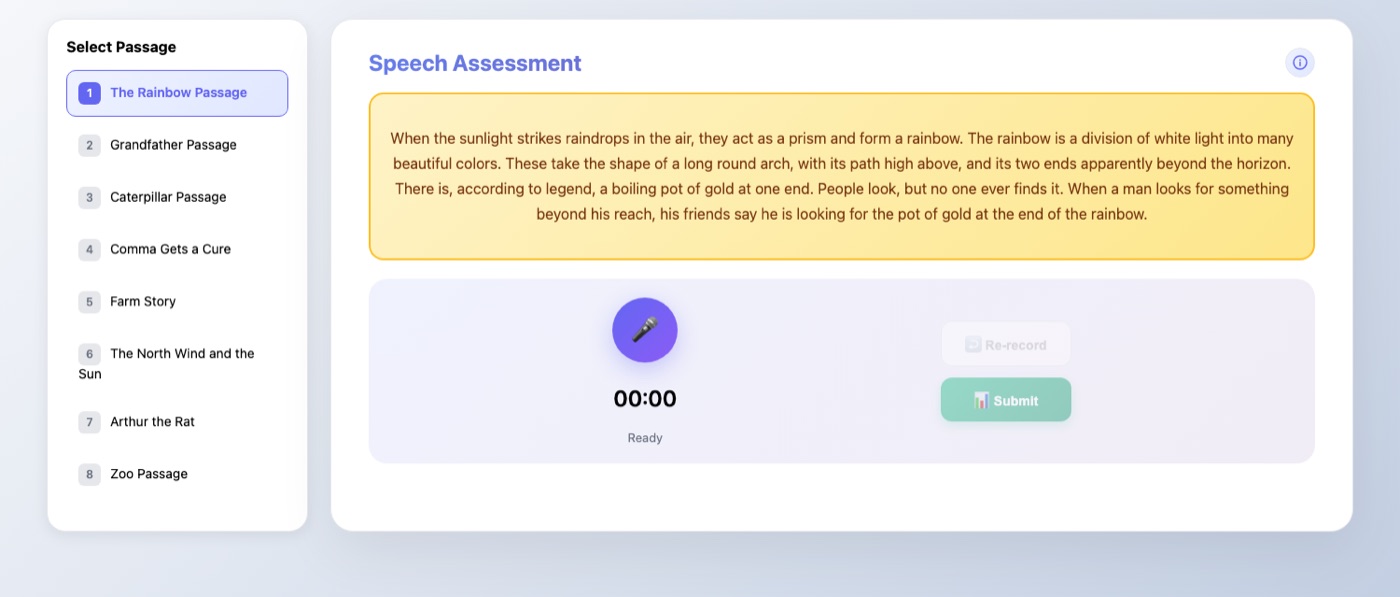
Two speech experts built a program to help people speak more clearly. Each saved lesson took time to hear and mark by hand. We built a web tool to help with that work. Students read twenty common speech texts out loud. The tool records the speech and gives scores for flow, accuracy, and how words sound. It saves past work so each student can see progress over time.
Record audio in the browserTwenty speech practice textsScores for flow, accuracy, and clear speechListen again before sendingTrack progress over timeWorks inside the course site
A clear site that guides a new visitor to a free trial.
This site explains the product with one clear offer. A free price tool helps visitors. Each page leads to a trial. The site is fast, easy to find in search, and gives a buyer the price, answers, and proof needed to choose a next step.
Fast simple siteFree price toolClear sales wordsSearch friendly pagesLoads in under one second
Software that connects a browser, desktop applications, and a searchable knowledge base into a single workspace.
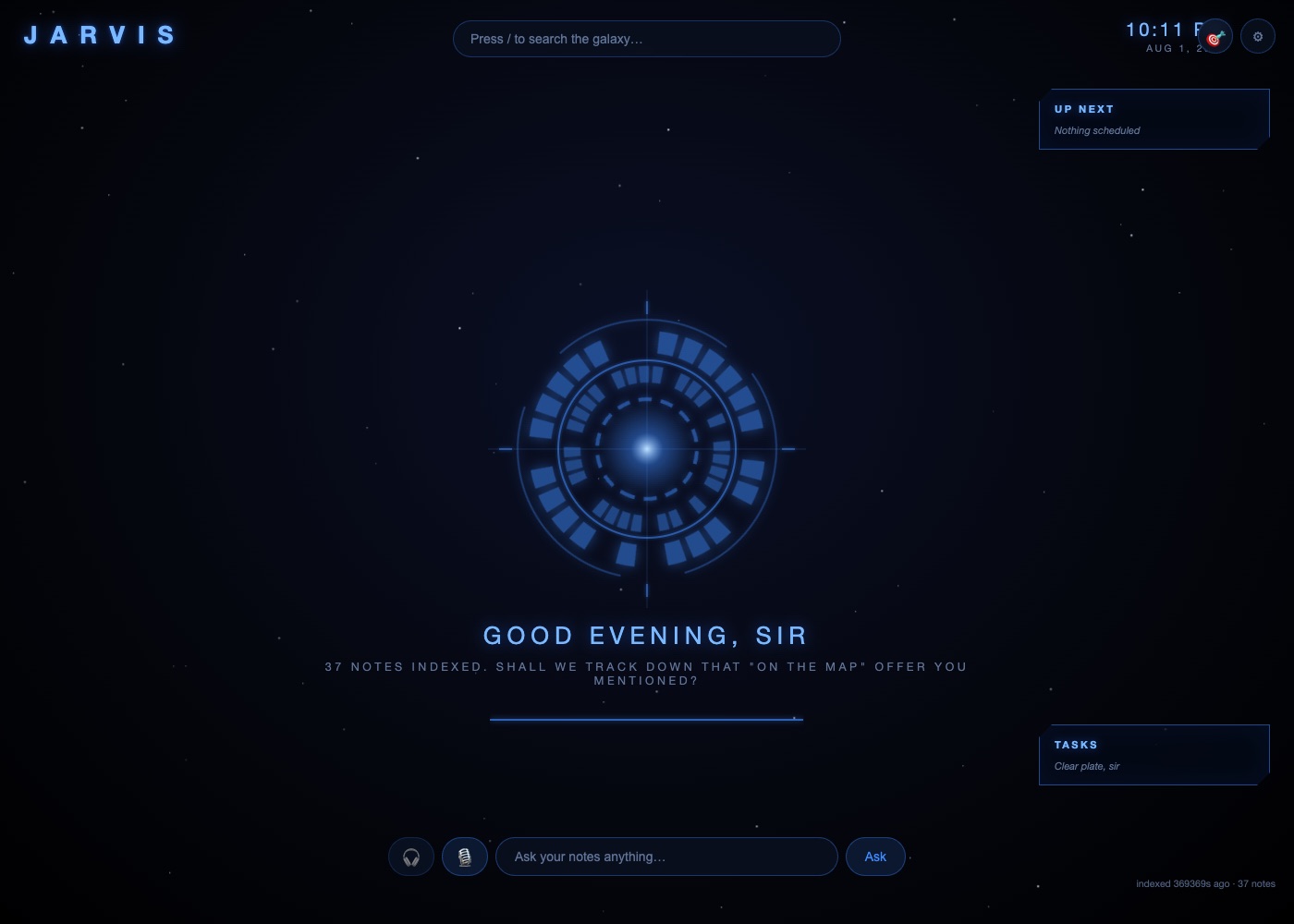
JARVIS is an internal system Evan built to run daily business work from one place. It searches an indexed library of notes, shows how ideas connect, drives a live web browser, controls Mac applications, and keeps a running task board. It drafts messages, surfaces what needs attention, and stops for a person to approve anything that matters. Every action is written to a log on screen as it happens. The engineering worth noting is the integration: getting separate systems that were never designed to talk to each other to work as one, with a person kept firmly in control.
Drives a live web browserControls Mac applicationsIndexed knowledge base3D map of saved notesVoice controlHuman approval gatesLive action log
What we can build
Your own software can cover the parts you need.
Not every tool needs every part below. Your written plan says what goes into your build. The finished software belongs to your business.
Plan the process
We map the current work, the people, the data, and the screens. We also agree on what is not part of the build.
Make it easy to use
We design clear screens for phones and computers. We include errors, empty screens, and other real use cases.
Build the app
We build the screens, data, login, access rules, and business rules that match how your team works.
Connect other tools
We can link the systems you already use and move data safely between them.
Use AI when it helps
AI can read, sort, sum up, draft, or take a step. We use it to remove work, not to add a buzzword.
Launch and hand over
We test the written plan, launch in accounts you own, train your team, give you simple notes, and hand over the software.
Clear proof
How we write about client work.
We write about client work only after delivery and with written permission.
Each story uses the same facts so you can judge the work without big claims.
The old process and what it cost in time and money
The old tools and fixes the team used
What was built, with screenshots or a short demo
Time from the start to delivery
Hours saved per week, measured rather than estimated
Errors or rework reduced
Sales gained or kept, only when the facts support it
A quote from the person who uses it daily
What was still true after thirty days
If we cannot check a result, it does not go on the page. We do not need made up numbers to show the work.
Each client works with Evan Atha.
Evan Atha plans, builds, and hands over your own company software. On The Map takes only a few builds at one time so he can stay with each client.