One clear view
See the work, owner, status, and next step in one place.
Your team may use sheets, email, forms, and several apps to do one job. On The Map can turn that process into one useful tool. It is made for your way of working. Your business owns it.
Your process already has information, choices, hard cases, and an end result. The trouble starts when people must move the same data by hand, make the same file again, chase approval, or guess what happens next.
First, we learn how the process works now. Then we choose which steps should be easier, which steps can run on their own, and which choices need a person. The goal is simple. Help your team finish the same real work with less effort.
See the work, owner, status, and next step in one place.
Move approved data between the tools you use. Show a clear warning when something goes wrong.
Let the software handle repeat choices. Send hard cases to a person.
Know what is waiting, what changed, what failed, and who should act next.
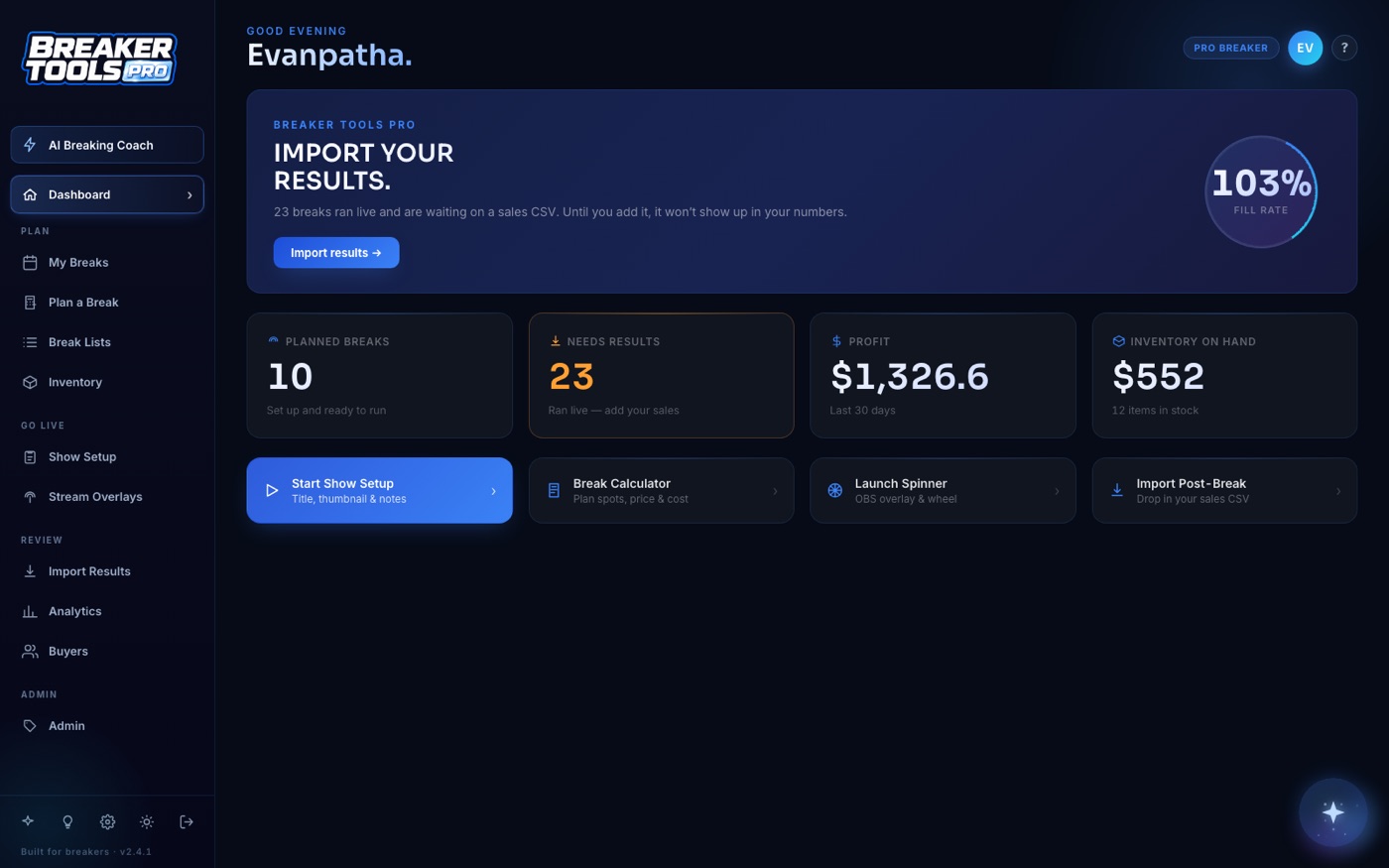
Breaker Tools Pro replaced a process spread across price sheets, stock records, show setup, live screens, and sales checks. The first working tool shipped in seven days. It grew over the next month.
On The Map owns this product. It is not a client result. The screens are real. We do not claim results we have not measured.
Read the true product storyA short build works when we agree on the process and tool first.
We list what goes in, who uses the tool, and what each person can see or change.
We list the choices software can make and the cases a person must check.
We name the files, accounts, and tools that need to connect.
You get the agreed code, data, launch, accounts, notes, and training.
One workflow is a sequence with a clear start and a clear end, run by the same part of your business. A lead arriving and ending up correctly in your system is one. Quoting is another. If you describe it and find yourself saying "and then, separately, we also...", that is usually two workflows, and we would rather build the first one properly than half of both.
That is the normal case. Most builds connect to things you keep, because replacing a system that mostly works is expensive and disruptive. Every system we need to reach is named in the written plan before you pay, along with anything its own software will not let us do.
No, and if a connector tool genuinely solves your problem we will tell you to use it and save your money. Those tools are excellent at passing data between apps in a straight line. They struggle once there are real business rules, exceptions, approvals, or a screen someone needs to work in. That is the point where custom becomes the cheaper answer over a year.
Evan Atha reads each request, usually the same business day. You will get a useful plan, a few clear questions, or an honest note if this is not the right fit.